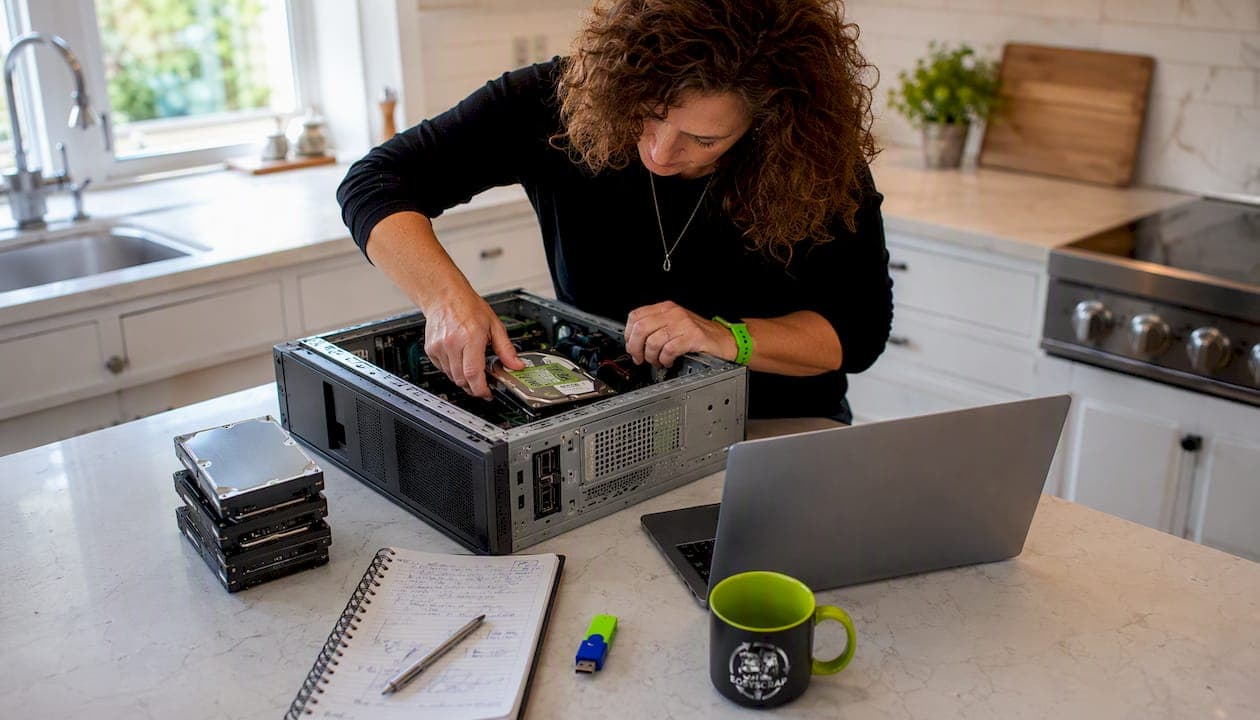
If your computer still runs, donate it or trade it in. If it's dead or too old to be useful, use a manufacturer mail-back program, a retail take-back like Best Buy, a state or municipal drop-off, or a certified e-waste recycler. For anything with sensitive data, get NIST SP 800-88-level sanitization or physical drive destruction before the device leaves your hands.
The fastest paths, in plain terms:
- Donate or refurbish if the machine boots and runs basic tasks
- Retail take-back (Best Buy and similar) for free, no-appointment drop-off of most consumer devices
- Manufacturer mail-back or trade-in (Dell, HP, and others accept many brands)
- Municipal or state drop-off using your county's solid waste site or a directory like CalRecycle
- Certified e-waste recycler or ITAD vendor when you need a Certificate of Destruction
- Local junk-removal service when the gear is heavy, bulky, or part of a larger cleanout
The short version: back up your data, wipe or remove the drive, then pick the path that fits your situation.
Table of Contents
- Where can you drop off or recycle a computer?
- How do you prepare a computer for disposal?
- What do recyclers accept, and what does it cost?
- How do you vet a recycler or junk-removal service?
- When does donating or reselling make more sense?
- How do state and local rules affect your options?
- When does hiring a local service make sense?
- Key Takeaways
- The case for doing this right the first time
- Easyscrapofficial picks up, sorts, and documents your electronics disposal
- Useful sources and next steps
Where can you drop off or recycle a computer?
Most residents have more options than they realize. The challenge is knowing which one fits your device, your schedule, and your data-security needs.
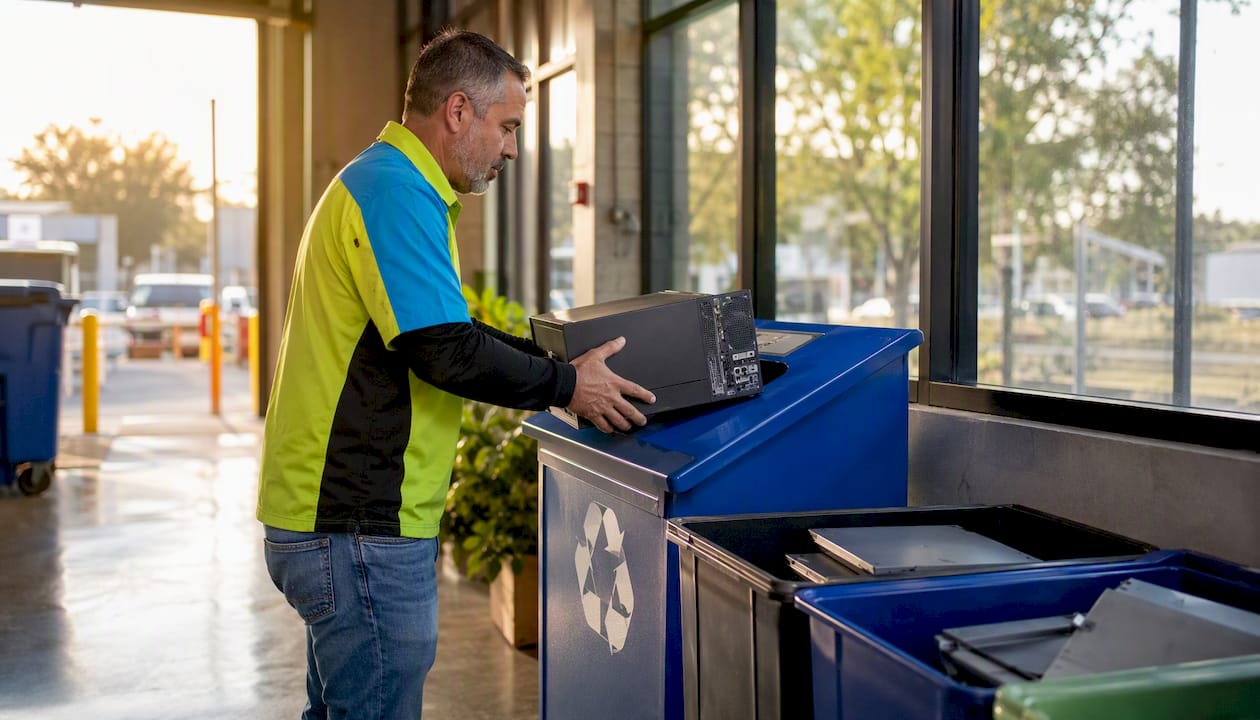
Retail take-back programs
Best Buy accepts computers, laptops, monitors, and most peripherals at its in-store recycling stations, no purchase required. The program has
since 2009, which gives a sense of the scale these retail programs operate at. Drop-off is free for most consumer electronics, though some items like CRT monitors may carry a small fee. Check the Best Buy website before you load the car, because accepted items and fees can shift by location.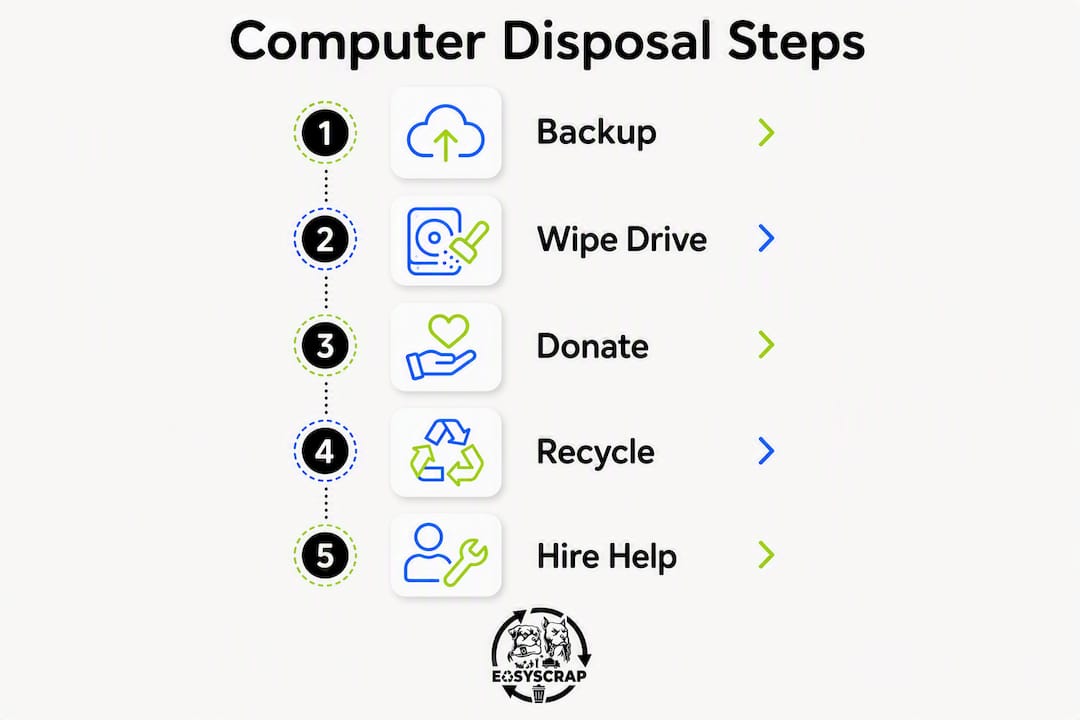
Manufacturer mail-back and trade-in
Dell's recovery and recycling program accepts devices from many brands, not just Dell hardware. If your machine qualifies for trade-in credit, you get a prepaid shipping label and a credit toward a new purchase. If it doesn't qualify, Dell typically offers free recycling anyway. HP runs a similar program. These mail-back options work well for laptops and small towers; for a heavy desktop or a stack of monitors, local drop-off or pickup usually makes more sense.
State and municipal collection programs
State directories are the fastest way to find a nearby drop-off. California's CalRecycle e-Recycle directory lists certified collection sites across the state. New York's DEC maintains a similar resource under the Electronic Equipment Recycling and Reuse Act, which requires manufacturers to provide free, convenient recycling to most state residents. Other states have their own portals, and your county's solid waste website is usually the quickest place to start.
Some facilities require proof of residency and operate on set schedules. Somerset County, NJ, for example, runs Saturday drop-offs from 8 AM to 2 PM at a fixed location, and residents must remove items from their own vehicles. Appointment-based or event-based collection is common, so confirm hours before you go.
Donation centers
Goodwill and similar community organizations accept working computers, though standards vary by location. Most want a machine that boots, has an intact screen, and comes with a power adapter. Call ahead to confirm the specific location accepts electronics, because not every Goodwill store does. The EPA's electronics donation and recycling page also points to Earth911 and state directories for finding local donation options.
Mail-in recyclers
For small devices, national mail-in programs are convenient. For a heavy desktop tower or a CRT monitor, shipping costs often make local drop-off the smarter choice. If you're clearing out a whole office or estate, a local pickup service usually beats any mail-in option on both cost and logistics.
| Option | Best for | Cost | Data security | Convenience |
|---|---|---|---|---|
| Retail take-back (Best Buy) | Most consumer devices | Free (some fees for CRTs) | No certificate standard | Drop-off, no appointment |
| Manufacturer mail-back/trade-in | Laptops, small devices | Free or trade-in credit | Varies by program | Mail-in |
| Municipal/state drop-off | Any device, local access | Usually free | No certificate standard | Drop-off, may need appointment |
| Donation center (Goodwill) | Working machines only | Free | Donor responsible for wipe | Drop-off |
| Certified recycler/ITAD | High-sensitivity data, bulk | Free to fee | Certificate of Destruction | Drop-off or pickup |
| Local junk-removal service | Bulky, multiple devices, cleanouts | Per-job fee | Chain-of-custody available | On-site pickup |
Pro Tip: Call ahead if you're bringing more than two or three items, a CRT monitor, or anything with a built-in battery. Many facilities have capacity limits and won't accept large batches without advance notice.
How do you prepare a computer for disposal?
Getting the device ready takes less than an hour for most people, and skipping this step is where data exposure actually happens.
-
Back up everything you want to keep. Copy files to an external drive or cloud storage. Deauthorize software licenses (Adobe, Microsoft Office, and similar apps tie licenses to hardware) and sign out of cloud accounts like iCloud, Google, and Dropbox.
-
Wipe the drive using certified software. Deleting files or running a standard format does not reliably remove data. A determined person with free recovery software can pull files off a "deleted" drive. Certified sanitization tools that follow NIST SP 800-88 guidelines overwrite data in a way that meets recognized security standards. DBAN (Darik's Boot and Nuke) is a widely used free option for HDDs. SSDs require cryptographic erase or manufacturer-specific tools, since overwrite methods don't work the same way on flash storage.
-
Remove the storage drive if you prefer physical control. If you're not confident in software wiping, pull the hard drive or SSD before dropping off the machine. A few screws and a standard screwdriver is all it takes on most desktops. Handle the drive carefully to avoid static discharge, and keep it until you've confirmed the rest of the machine is gone.
-
Physically destroy the drive for high-sensitivity data. Drilling through the platters of an HDD or bending an SSD's circuit board past the point of recovery is a legitimate option. Professional shredding services grind drives to fragments and issue a Certificate of Destruction documenting the serial number and destruction method.
-
Remove the battery if it's accessible. Lithium-ion batteries are a fire risk in standard recycling streams and should go through a dedicated battery program like Call2Recycle. The EPA specifically warns that lithium-ion batteries should not go in household trash.
-
Request a Certificate of Destruction or chain-of-custody receipt. Any reputable ITAD vendor or certified recycler will provide one. Keep it. If a data breach is ever alleged, that document is your proof the device was handled properly.
Pro Tip: When you hire a service, ask specifically whether they document serial numbers and issue a Certificate of Destruction. A receipt that just says "electronics recycled" doesn't protect you the way a serial-number-level audit trail does.
What do recyclers accept, and what does it cost?
Most programs accept the obvious stuff without a fee: laptops, desktop towers, keyboards, mice, and flat-panel monitors. Printers are accepted at some programs but not all, so verify before you bring one.
The items that cause the most friction are CRT monitors and older televisions. CRTs contain lead and require specialized processing, so many programs charge a per-item fee, typically in the $10–$25 range, though this varies by location and program. Some retailers have stopped accepting CRTs entirely.
Large TVs, especially plasma screens, often fall into the same category. Devices with swollen or damaged lithium-ion batteries may be refused at drop-off locations for safety reasons. The EPA notes that batteries should be routed through dedicated programs like Call2Recycle rather than standard e-waste streams.
Household limits are common at municipal events. Many county collection days cap drop-offs at a limited number of items per household, and some distinguish between residential and business customers, charging businesses a higher rate or requiring a separate appointment.
Recycling electronics properly recovers materials that would otherwise be lost. Recycling 1 million laptops saves energy equivalent to powering approximately 3,500 U.S. homes for a year. Beyond energy, certified facilities recover gold, silver, copper, and platinum from circuit boards, keeping those materials in the supply chain instead of a landfill.
How do you vet a recycler or junk-removal service?
The recycling industry has a real problem with bad actors who accept electronics, collect fees, and then ship devices overseas to be processed in ways that harm workers and the environment. Choosing a certified provider is the practical defense against that.
Certifications to look for:
- R2 (Responsible Recycling) is the most widely recognized U.S. standard for electronics recyclers, covering data security, environmental practices, and downstream accountability.
- e-Stewards is a stricter certification that prohibits export of hazardous e-waste to developing countries.
- ISO 14001 covers environmental management systems broadly and is often held alongside R2 or e-Stewards.
- NIST SP 800-88 alignment confirms the vendor uses recognized data sanitization methods.
Questions to ask before you hand anything over:
- Will you provide a Certificate of Destruction with serial numbers documented?
- Do you refurbish devices for resale, and if so, how is data handled before resale?
- How do you handle batteries and other hazardous components?
- Where does the material go after your facility? Do you export any portion overseas?
- Can I get an itemized receipt listing each device?
Red flags that should stop you:
- No certificate offered, or vague answers about what a certificate covers
- Cash-only operations with no written tracking
- Pressure to hand over devices immediately without documentation
- No R2 or e-Stewards certification, and no clear explanation of downstream processing
- Prices that seem too good to be true for large volumes (often signals illegal export)
For high-volume situations, estate cleanouts, or any scenario involving devices that held sensitive financial or personal data, an ITAD provider is worth the cost. ITAD vendors issue audit reports, sustainability documentation, and chain-of-custody records that a standard drop-off program simply doesn't provide.
When does donating or reselling make more sense?
If the machine boots, runs a current operating system, and can handle basic web browsing and document editing, it's a candidate for donation or resale rather than recycling. Sending a working computer to a shredder is wasteful in a way that's easy to avoid.
Refurbishers and donation organizations typically want machines that are no more than five to seven years old, have a working battery (for laptops), an intact screen, and come with a power adapter. A machine that fails any of those criteria is usually better routed to recycling.
Preparing a machine for donation:
- Wipe the drive and perform a clean OS reinstall. Most donation organizations expect the donor to sanitize the device, not the other way around.
- Create a local admin account with no password, or leave setup for the recipient.
- Include any original accessories you have.
- Ask whether the organization provides a donation receipt for tax purposes. Many do, and for a machine worth more than $250, you'll want written acknowledgment.
Manufacturer trade-in programs work differently. You submit the device's details online, get an estimated trade-in value, and ship the machine using a prepaid label. If the condition doesn't match what you described, the offer may be adjusted. Devices that don't qualify for credit are typically recycled for free rather than returned.
Private resale through platforms like eBay or Facebook Marketplace makes sense for machines that are relatively recent and in good condition. Before listing, wipe the drive completely and remove any personal accounts. Don't just delete files. Use a certified wipe tool or perform a factory reset that includes drive erasure.
Donated and refurbished electronics extend device life and reduce the demand for new materials. The circular-economy case for reuse is straightforward: a laptop that gets another three years of use is three years of mining, manufacturing, and shipping that didn't happen.
How do state and local rules affect your options?
State rules vary more than most people expect, and the gap between states that have strong e-waste laws and those that don't is significant.
Colorado bans landfill disposal of many electronics and requires residents to use authorized collection programs. New York's Electronic Equipment Recycling and Reuse Act requires manufacturers to fund and operate free take-back programs for most consumers in the state. Connecticut, Oregon, Washington, and California all have their own manufacturer-responsibility frameworks with varying scope and requirements.
How to find your local rules:
- Search your state's environmental agency website for "e-waste recycling" or "electronics disposal."
- Use CalRecycle's directory if you're in California; use your county's solid waste page everywhere else.
- Search Earth911 with your zip code for nearby certified drop-off locations.
- Check your county's public works or recycling department page for scheduled collection events.
Common local requirements that catch people off guard:
- Proof of residency (a utility bill or driver's license) required at municipal drop-offs
- Limits of five to ten items per household per visit
- Separate fee schedules for business versus residential customers
- Appointment-only access outside of scheduled collection events
- Batteries must be removed or taped before drop-off at some facilities
Call the facility before you go. Confirm what they accept, whether you need an appointment, and whether they issue a receipt. That two-minute call saves a wasted trip.
When does hiring a local service make sense?
Drop-off programs work fine for one or two laptops. They stop working well when you're dealing with a heavy desktop tower, a stack of monitors, an estate cleanout, or any situation where you can't physically transport the gear yourself.
Practitioners consistently recommend professional pickup for large volumes to ensure proper routing and documentation. That's not just convenience. It's about making sure a dozen devices don't end up in the wrong stream because you ran out of time to sort them.
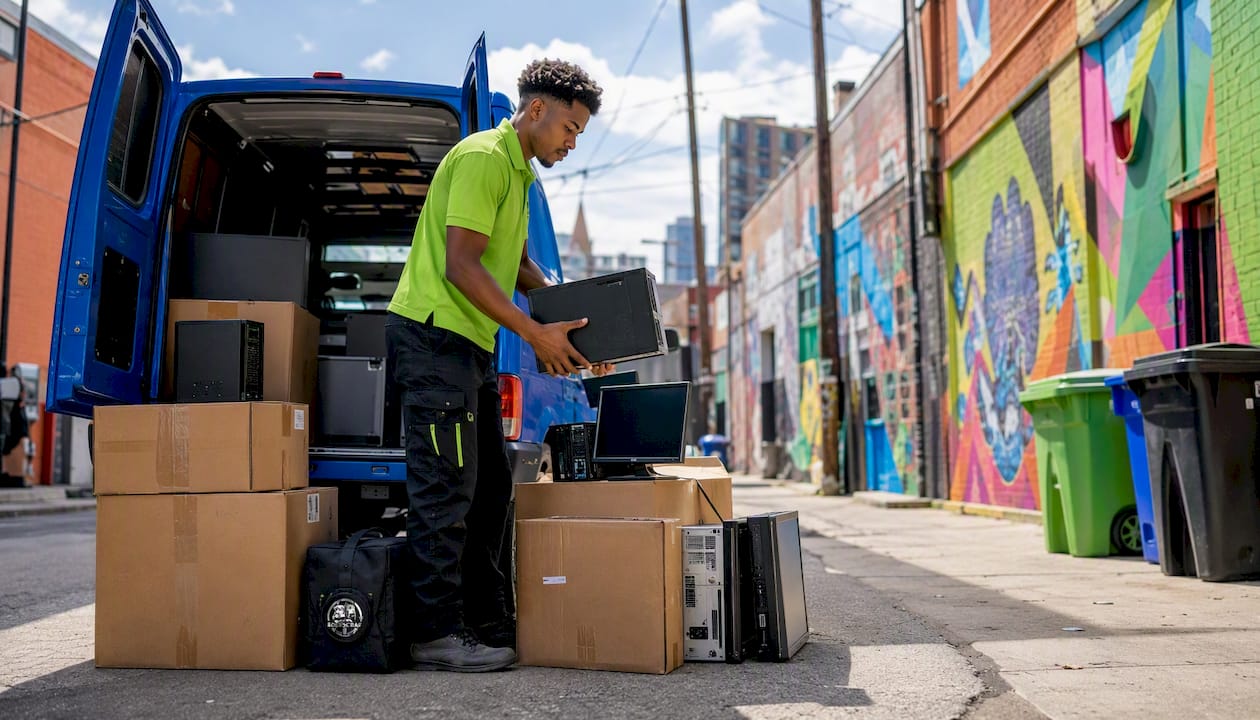
A reputable local service handles on-site pickup, sorts reusable items for donation, routes non-working equipment to certified recyclers, and gives you an itemized receipt. For residents who need higher-security documentation, an IT asset disposition overview can clarify what chain-of-custody documentation looks like in practice.
Easyscrapofficial offers same-day pickup options, eco-routing to certified recycling partners, and donation handling for working machines. The crew handles the heavy lifting, which matters when you're dealing with a CRT monitor or a full tower that weighs 40 pounds. For larger jobs like garage cleanouts that include electronics alongside furniture and appliances, a single scheduled pickup clears everything at once rather than requiring multiple trips to different facilities.
Pricing for local pickup services typically runs on a per-job basis, with the cost reflecting volume, weight, and any special handling requirements. The value isn't just convenience. It's the documentation and the certainty that the gear went where it was supposed to go.
Key Takeaways
The safest, most responsible computer disposal path combines data security first, reuse when possible, and certified recycling for everything else.
| Point | Details |
|---|---|
| Wipe before anything else | Deleting files isn't enough; use NIST SP 800-88-aligned software or remove and destroy the drive. |
| Reuse beats recycling | Donate or trade in working machines; refurbishers extend device life and reduce materials demand. |
| Certifications matter | Look for R2 or e-Stewards certification and always request a Certificate of Destruction for sensitive devices. |
| State rules vary | Check your state's e-waste directory or county solid waste site before assuming curbside or landfill disposal is legal. |
| Easyscrapofficial handles pickup | For bulky gear, estate cleanouts, or multiple devices, Easyscrapofficial offers same-day pickup with eco-routing and documented disposal. |
The case for doing this right the first time
Most people treat old computer disposal as an afterthought, something to handle when the clutter gets bad enough. That's the wrong frame. The data risk is real from the moment the device leaves your hands, and the environmental cost of a device going to landfill rather than a certified recycler is just as concrete.
The reuse-first approach isn't idealism. A working laptop donated to a school or a refurbisher is a machine that doesn't need to be manufactured from scratch. The mining, the shipping, the assembly, all of it gets deferred or avoided entirely. That's a meaningful outcome from a decision that takes about an hour of your time.
The chain-of-custody piece is the one most people skip, and it's the one that matters most when something goes wrong. A Certificate of Destruction with serial numbers documented is the only proof you have that a device was handled properly. Without it, you're trusting a process you can't verify. For a device that held financial records, medical information, or business data, that trust needs to be documented.
Easyscrapofficial picks up, sorts, and documents your electronics disposal
When you've got more than a laptop and a keyboard to deal with, the drop-off route gets complicated fast. A CRT monitor that weighs 60 pounds, a desktop tower, three printers, and a box of cables aren't going anywhere in a sedan. That's exactly where Easyscrapofficial fits.
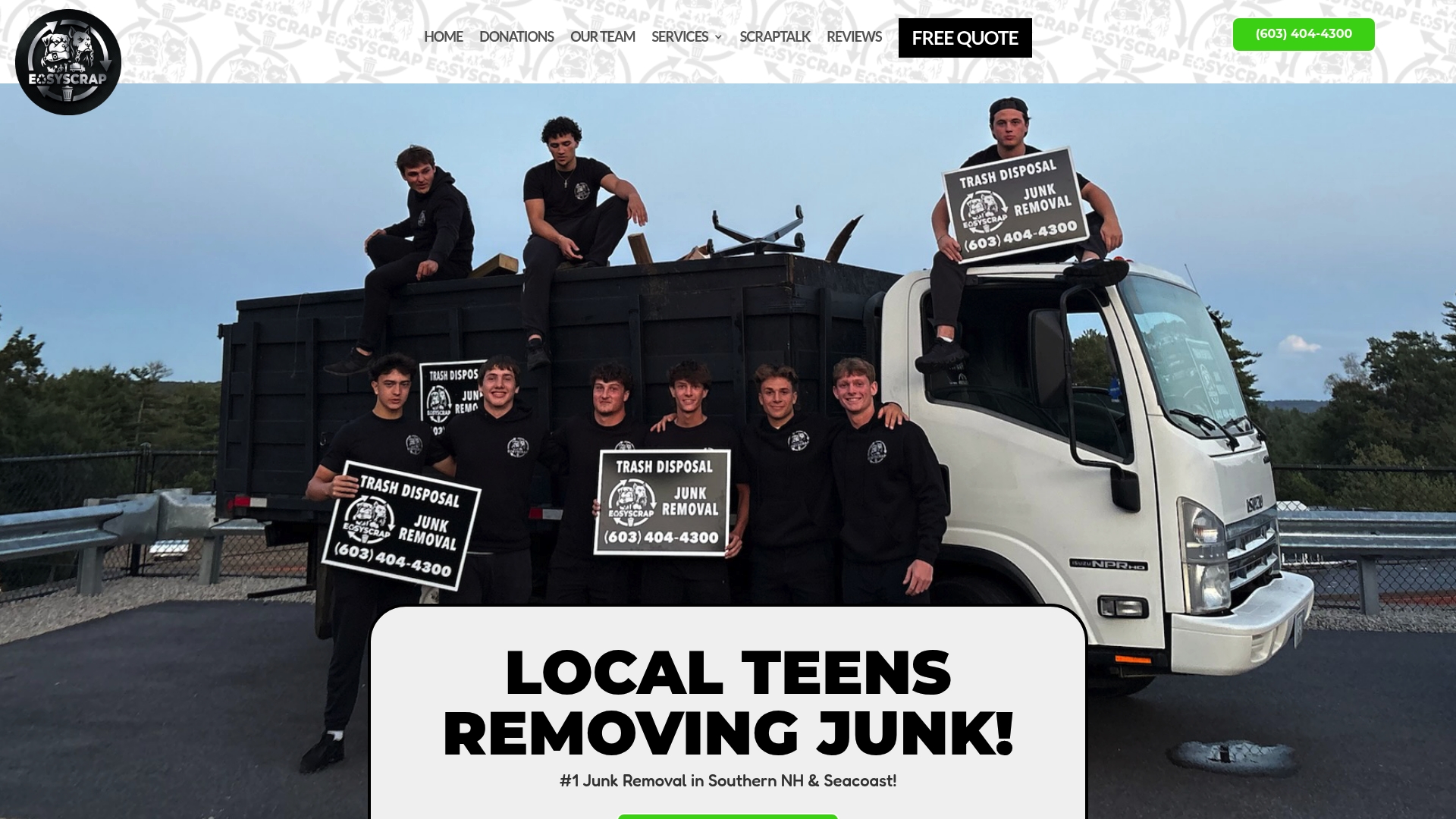
Easyscrapofficial serves Lawrence, Andover, Boston, Lowell, and Haverhill with same-day and scheduled pickup for electronics, appliances, and full property cleanouts. The crew handles the heavy lifting, sorts reusable items for donation partners, and routes everything else to certified recycling facilities. You get an itemized receipt documenting what was picked up and where it went. For residents who need more formal documentation, the IT asset disposition page covers what chain-of-custody service looks like for higher-security needs.
Get a free quote and book your junk removal pickup online or by phone. No hauling, no sorting, no wasted trips to a drop-off that won't take your CRT.
Useful sources and next steps
These are the authoritative resources to use when researching local rules, sanitization standards, or manufacturer programs.
- EPA Electronics Donation and Recycling — Best starting point for donation options, battery handling guidance, and links to state directories and Earth911.
- NIST SP 800-88: Guidelines for Media Sanitization — The recognized federal standard for data wiping; use this to evaluate whether a vendor's sanitization method meets security requirements.
- CalRecycle e-Recycle Directory — California's certified collection site finder; the model for what a state e-waste directory should look like.
- Colorado CDPHE Electronic Waste Guidance — Details Colorado's landfill ban on electronics and authorized collection programs.
- Dell Recovery and Recycling — Mail-back and trade-in options for consumers; accepts many brands, not just Dell hardware.
- Oregon DEQ eCycles Consumer Guidance — Practical guidance on finding local drop-off facilities and what to expect at collection sites.
Next steps: Search your county's solid waste website for the nearest drop-off or scheduled collection event. Call ahead to confirm accepted items, any fees, and whether a receipt or certificate is available. If you're hiring a service, ask for R2 or e-Stewards certification and request a Certificate of Destruction before you schedule the pickup.